I talk more than I type now (and you should too)
One tool, one keystroke, every app. Super Whisper turns messy speech into clean text.
My wife’s mentor told her to try a voice-to-text tool. She has it on her phone home screen. I saw the icon one day and asked what it was. “Oh I need to use that more” she said.
By the end of this, you’ll have one tool that makes talking faster than typing. Everywhere.
The Problem: Voice-to-text is either missing or not optimal
I love ChatGPT’s voice feature. It’s a huge time-saver when I need to give feedback or brainstorm.
Then I started vibe-coding. I tried four different setups/tools in the past 6 months (yes, four). Some had voice-to-text. Some didn’t. The one I’m using now? Doesn’t have it.
And when you’re doing AI coding, you’re giving feedback constantly. Typing slows you down. I needed a universal solution.
That’s when I remembered that icon on my wife’s phone.
Enter: Super Whisper.
Here’s what makes Super Whisper different from built-in voice transcription:
It corrects your speech—not just transcribes it.
Most voice tools give you exactly what you said, including:
- Stuttering (”I think I think I need to…”)
- Filler words (”um,” “like,” “you know”)
- Awkward pauses mid-sentence
Super Whisper cleans that up. It gives you what you meant, not what you said.
Example: I say:
Okay so like I need this function to um, … , I don’t know, … , handle the API call, …maybe?”
Super Whisper:
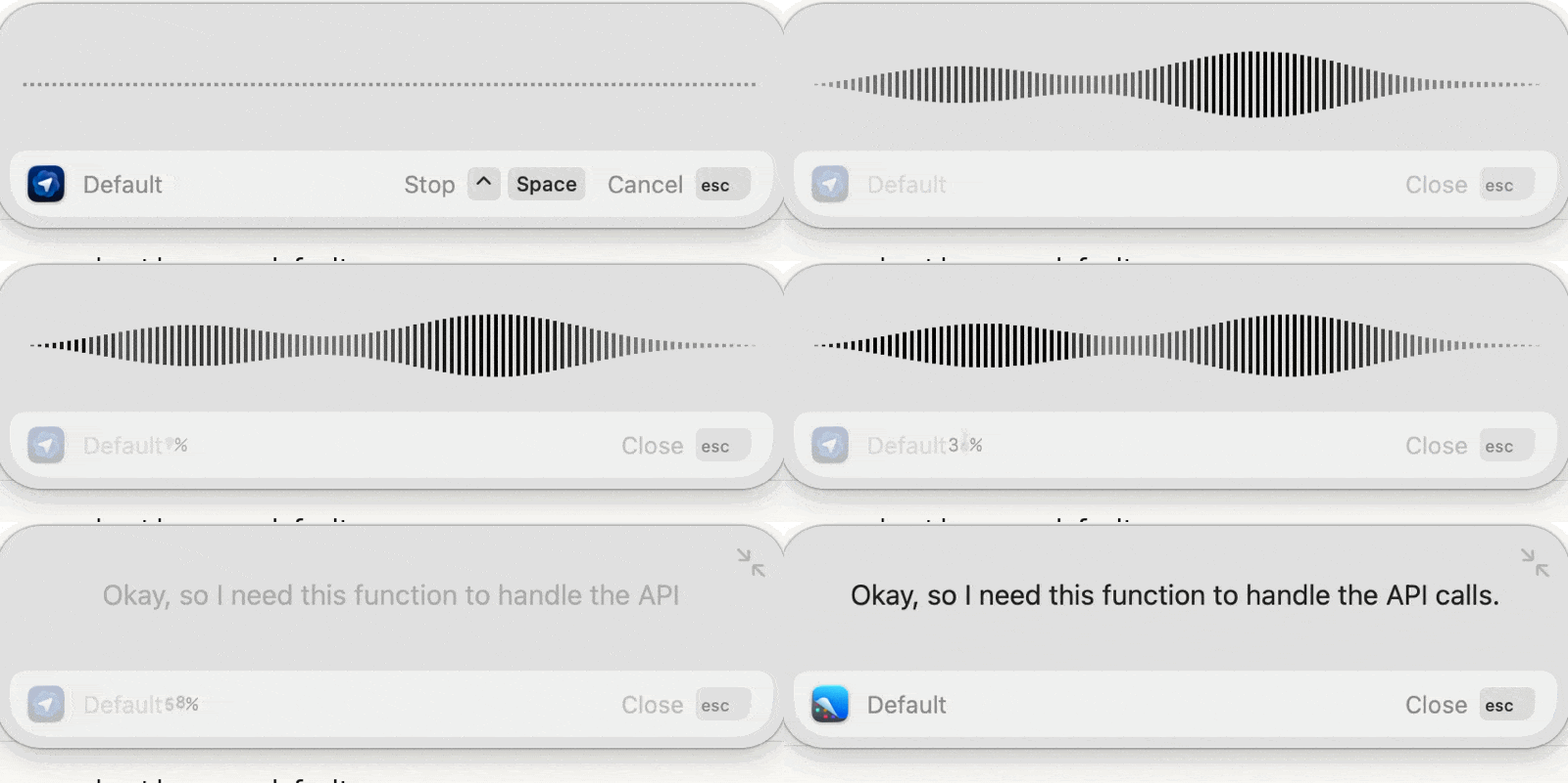
It’s subtle. But it’s huge.
Why this matters
When you write, you pre-filter your thoughts. You think before you type.
When you talk, you just… talk. You figure it out as you go. That’s faster—but messier.
Super Whisper fixes the mess. You get the speed of talking with the clarity of writing.
And it works everywhere:
- AI coding tools (where I use it most - constant feedback loops)
- Claude in the browser (which doesn’t have voice-to-text on desktop)
- ChatGPT (yes, even though ChatGPT has voice, Super Whisper’s cleanup is better)
- Telegram (when I want to send text, not a voice note)
- Anywhere you type (email, Notion, Slack, whatever)
The Workflow: One Keystroke, Done
- Hit your shortcut (I set mine right next to Spotlight)
- Talk (pause whenever you want - it waits.)
- Review (optional - it’s already cleaned up most of the time)
- Paste or let is insert into whatever tool you’re using
That’s it. No switching apps. No copy-pasting into ChatGPT for cleanup. Just talk, done.
Bonus: It handles multiple languages
Super Whisper has modes to optimize for different languages/scenarios. I switch between English and French. Notes VS meetings. It understands all.
And the free version? Totally usable. You get great models, history of everything you’ve said, and the core cleanup magic.
If you want the absolute best models, you can upgrade.
Try This
- Download Super Whisper (free version works great)
- Set a shortcut (make it fast — mine’s Ctrl + Space)
- Use it once (anywhere you’d normally type: email, feedback, notes)
You’ll immediately feel the difference. Talking is faster than typing. Super Whisper makes talking work everywhere.
Oh, btw, my wife is still not using it.
You should.
Thanks for reading La Toolbox d'Allan! Subscribe for free