The rabbit hole of migrating Custom GPTs
One click to migrate. Then the hoops to make it public.

So I migrated Catty, my Chat Starter custom GPT to ChatGPT Plugins.
There was a Migrate to Plugin button, so I thought this would be 3 clicks and a boring article.
After the first click, confusion joined the conversation:
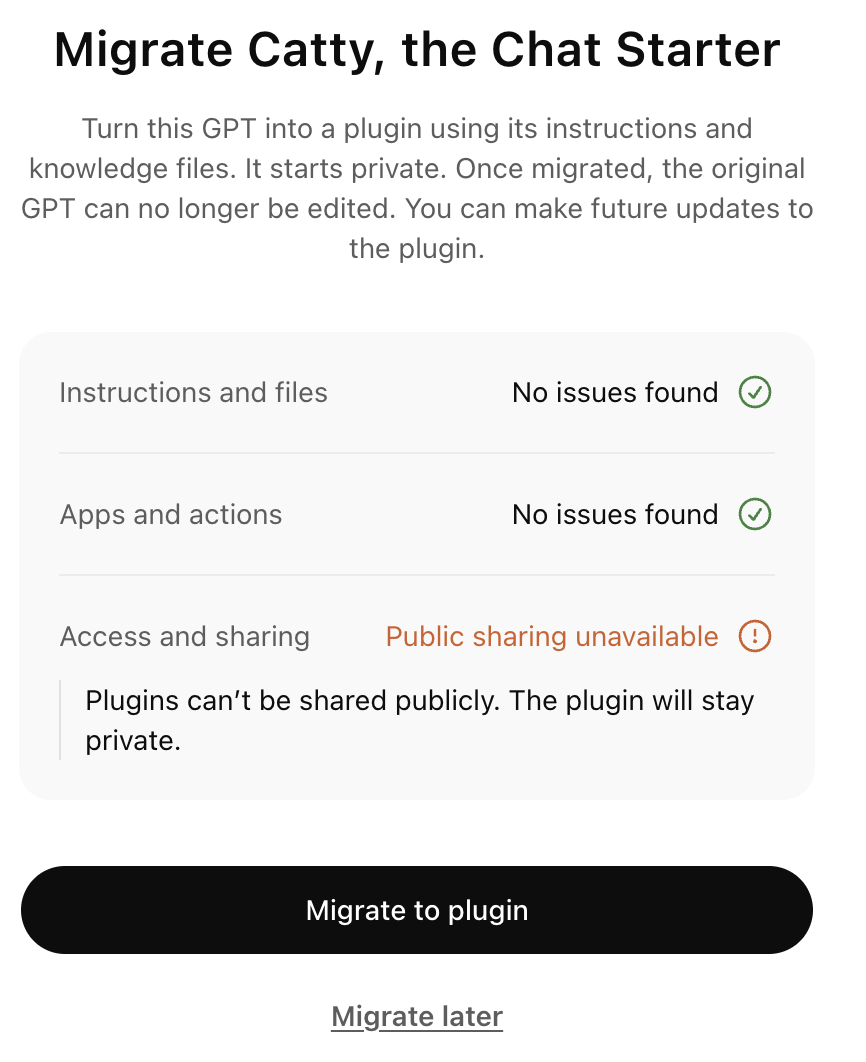
Catty was built for other people to use. Sharing it kinda is the purpose.
Now, if your GPT was internal and you’re in a team workspace, internal sharing may be available. Available to clients outside that workspace is still an open question.
In the end, Catty became a private plugin, with its instructions packaged as a skill. Making it publicly available required another process (which I had to ask ChatGPT to explain) via the OpenAI Platform.
If you didn’t know, OpenAI platform is the portal where you get the API keys, etc.
Welcome to the developer side of OpenAI.
Before submitting your plugin, you need to verify your identity:
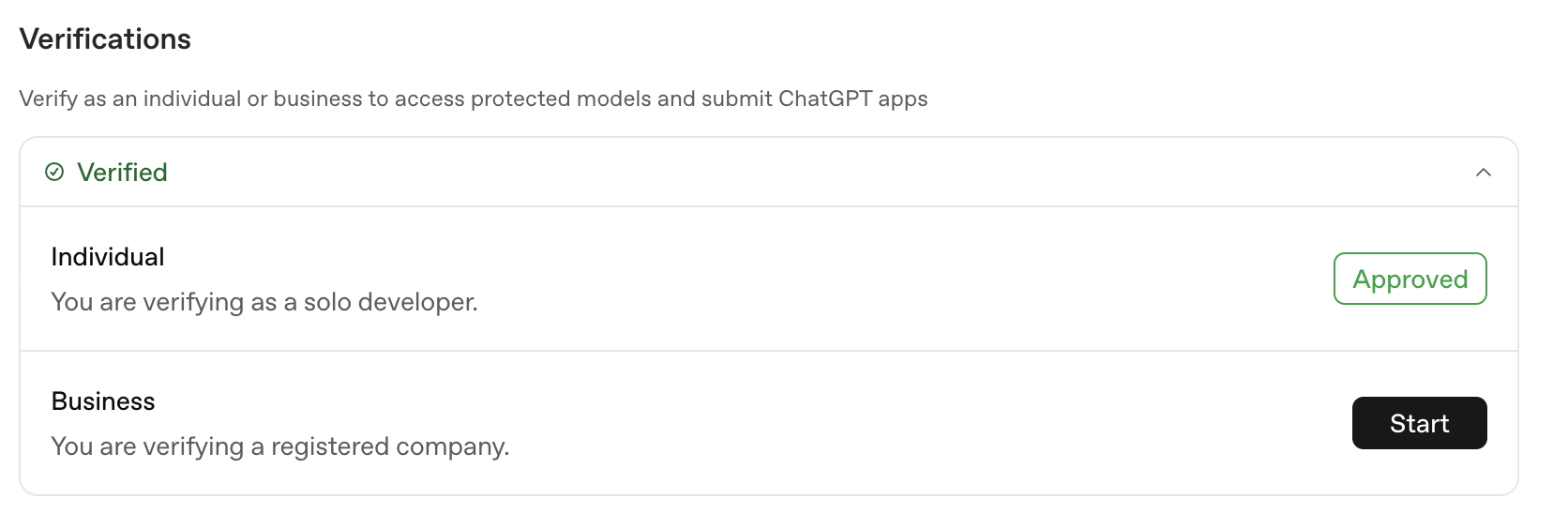
Thankfully, my identity verification worked within a few minutes, but having been stuck in LinkedIn’s verification process before, I wouldn’t take that step for granted.
Only then can you start the process of submitting a plugin.
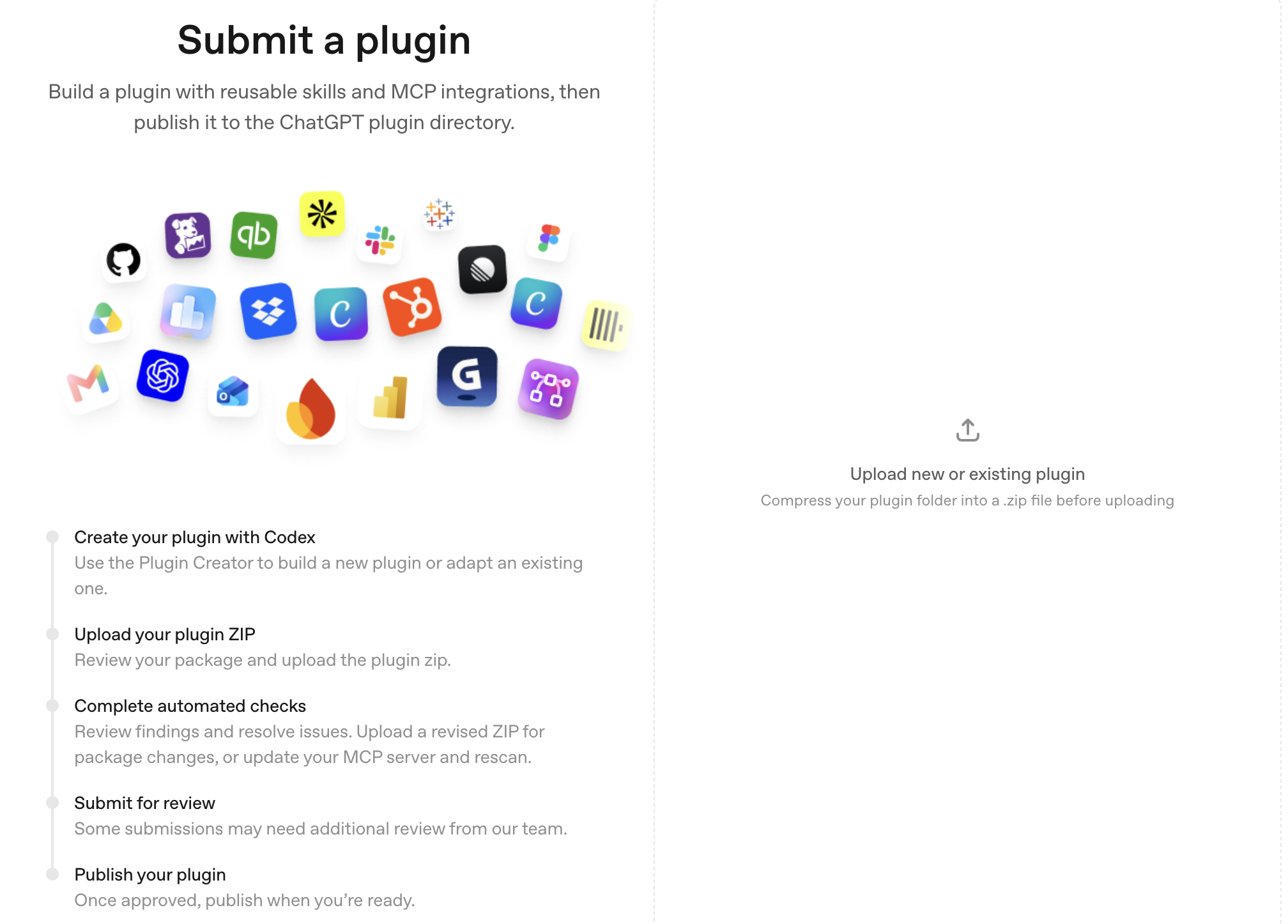
Then the problem continued:
The short description was too long and the portal also wanted me to check that the privacy-policy website was accessible. So I searched for an edit button. Account settings? Profile settings? Organization settings? Plugin settings?
Five minutes later, Catty’s instructions had passed their checks, but I was still hunting.
Copy issues finally gave me the clue. These details came from the uploaded package. The portal displays them, but you edit them in the package and upload a corrected ZIP. Give ChatGPT or Codex both the ZIP and the copied issues, and ask it to explain and fix them.
So the practical route is to have ChatGPT fix something that ChatGPT generated. Right…
So if you’ve shared a GPT with clients, allow some time for this publishing process. Converting the instructions is only one stage of making the replacement available to them, although it should be faster for you since you now have this guide.
If you depend on somebody else’s GPT, ask whether they plan to go through that process.
My prediction is that many people who created GPTs through the super friendly wizard on chatgpt.com will not go through the hassle of creating public plugins…
If you need help keeping the specialized assistants your clients depend on available across platforms, let’s talk.